


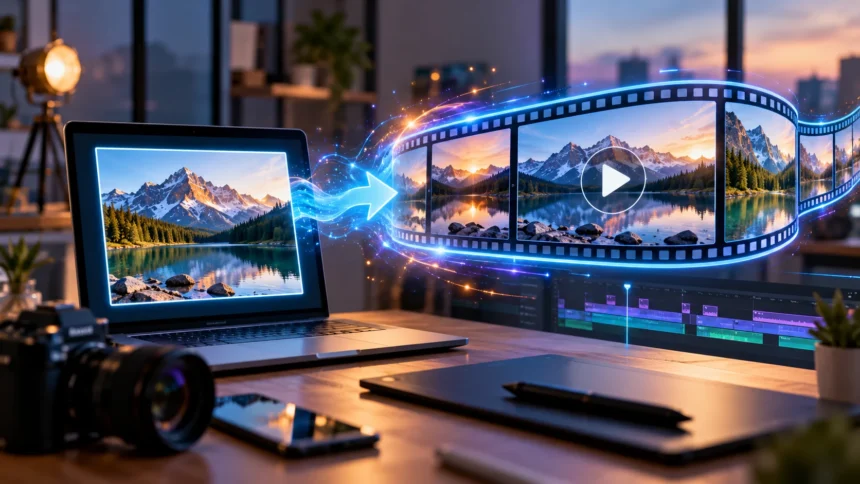
Artificial intelligence is changing how people create videos, animations, and digital content. One exciting development is image to video AI, a technology that transforms static photographs and illustrations into moving videos. Instead of recording every scene with a camera or manually animating individual frames, users can create short video clips from existing images using AI-powered tools.
Image to video AI is becoming increasingly useful for content creators, marketers, designers, educators, and businesses. It can animate portraits, introduce movement into landscapes, create product demonstrations, and support visual storytelling. Many tools also allow users to describe the desired motion through simple text instructions, making video creation more accessible.
This guide explains what image to video AI is, how it works, and which technologies support the process. You will also learn about its features, advantages, limitations, applications, and practical creation methods. Whether you are exploring AI video generation for personal projects or professional content, understanding the technology can help you use it effectively.
What Is Image to Video AI?
Image to video AI is an artificial intelligence technology that generates moving video sequences from one or more still images. The system analyzes visual information and predicts how objects, people, or backgrounds might appear across additional frames. It then produces a sequence of images that creates the appearance of movement. The final result can be played as a video.
Unlike traditional video editing, image to video generation does not always require manually creating motion paths or individual animation frames. Users generally upload an image and provide instructions describing the movement they want. The AI system interprets these inputs and generates a short clip. The quality of the result depends on the model, image, instructions, and generation settings.
For example, a photograph of a beach can become a video showing moving waves and gently swaying palm trees. A product photograph can be transformed into a simulated camera movement around the object. These videos are AI-generated interpretations rather than recordings of actual events. This distinction is important when creating realistic or informational content.
How Does Image to Video AI Work?
Image to video AI works by analyzing the content of an uploaded image and generating new frames that introduce motion over time. The AI model identifies visual patterns, object relationships, textures, and scene composition. It uses information learned during training to estimate plausible changes between frames. These changes create the appearance of continuous movement.
The process often begins with an image uploaded through a web application or video generation platform. Users may provide a text prompt explaining the desired movement, camera direction, or scene behavior. The system processes the image and instructions together. It then generates a sequence of frames designed to maintain visual consistency while introducing motion.
After generation, the resulting frames are assembled into a video clip. Some platforms offer additional controls for resolution, duration, camera movement, and output quality. Users can review the result and adjust their prompts if necessary. Since AI video generation is probabilistic, repeating the same request may produce different visual results.
What Technology Powers Image to Video AI?
Image to video AI relies on machine learning systems trained to recognize and generate visual patterns. Modern video generation models often use deep neural networks that process information across both space and time. Spatial information describes objects and their appearance, while temporal information describes changes between frames. Combining these dimensions allows models to generate moving scenes.
Diffusion models are one important technology used in AI video generation. During training, these models learn how to recover meaningful visual information from noisy representations. During generation, they progressively transform an initial noisy representation into a structured video. Conditioning information, such as an uploaded image or text prompt, guides the resulting content.
Transformer architectures are also used in many modern video generation systems. Attention mechanisms help models represent relationships between different parts of images and video sequences. Some systems combine transformers with diffusion techniques or other generative approaches. The exact architecture varies between AI tools, but the shared objective is producing coherent visual motion.
Step-by-Step Process of Converting Images Into Videos
Creating an AI video usually begins with selecting a suitable source image. Choose a clear photograph, illustration, or digital artwork containing the subject you want to animate. Images with recognizable objects and consistent lighting often provide useful visual information. The image’s resolution and composition can influence the quality of the generated video.
Next, upload the image to an image to video AI generator and describe the desired movement. You might request slow camera movement, gently falling rain, flowing water, or a subject turning slightly. Clear instructions help communicate the intended effect. If the platform provides motion settings, select options that match your creative goal.
After submitting the request, the AI generates a video based on the image and instructions. Review the result for unexpected movement, distorted details, or changes to the original subject. You may need to refine the prompt or generate another version. Once satisfied, export the clip using a supported video format and resolution.
Role of AI Prompts in Image to Video Generation
An AI prompt is a written instruction that tells the video generation system what kind of movement or scene you want to create. Prompts help guide the model beyond the visual information contained in the uploaded image. They can describe subject actions, background movement, camera behavior, and atmosphere. Clear prompts often produce more predictable results.
For example, imagine uploading a photograph of a mountain landscape. A useful prompt might describe clouds moving slowly across the sky while the camera gently moves forward. This provides specific information about both environmental motion and camera movement. A vague instruction such as “make it cinematic” may leave more decisions to the model.
Effective prompts generally focus on a small number of compatible movements. Asking for several complicated actions in a short clip may increase the chance of visual inconsistencies. Begin with a simple movement and gradually introduce additional details when needed. Reviewing the results helps you understand which instructions work best with your chosen AI tool.
How AI Creates Realistic Motion From Static Images
Generating realistic motion from a single image is challenging because a photograph does not contain complete information about what happens before or after it was captured. The AI must estimate how objects might move and how hidden areas could appear. It learns these relationships from training examples. The resulting motion is a prediction rather than recovered historical footage.
For example, if an image shows a person standing outdoors, the AI might generate subtle clothing movement or a simulated camera pan. To create these changes, the model estimates new positions, shapes, and appearances across frames. It also attempts to maintain the person’s visual identity. Complex movement can sometimes introduce distortions or inconsistent details.
Realistic results also depend on temporal consistency, which describes how smoothly visual details remain connected across time. A video should preserve recognizable objects while showing appropriate movement. AI models attempt to maintain this consistency across generated frames. However, errors may appear when objects overlap, rotate, or move outside the information visible in the original image.
Main Features of Image to Video AI Tools
Image to video AI platforms offer different features depending on their technology and intended users. Most allow users to upload a still image and generate a short video clip. Many also include text-based motion instructions, aspect ratio selection, and output resolution settings. These controls help users customize videos for different platforms and creative projects.
Some advanced tools provide simulated camera movements such as zooming, panning, and tracking. Others support motion intensity controls or allow users to define starting and ending frames. Certain platforms also offer video extension, editing, or reference-based generation features. Not every tool includes these capabilities, so available options should be checked individually.
Export settings are another important feature when comparing AI video generators. Users may need different video resolutions, durations, or aspect ratios for social media and professional projects. Some services include watermarks or restrict downloads under particular plans. Reviewing supported formats, commercial usage terms, and privacy policies helps users select suitable tools.
Popular Image to Video AI Tools
Several AI platforms provide features for generating video clips from images. Examples include Runway, Pika, Kling AI, and other generative video services. Their capabilities vary in motion quality, supported inputs, editing controls, and output formats. Some focus on creative experimentation, while others offer features designed for professional video production.
Certain platforms combine text to video and image to video generation in one interface. This allows creators to generate scenes from written descriptions or animate existing visual assets. Depending on the model, users may also be able to reference specific images when generating new video content. These options support different approaches to visual storytelling.
When choosing a platform, consider video quality, generation limits, pricing, ease of use, and licensing conditions. Free access may include restrictions on resolution, clip duration, or commercial use. Features also change as AI providers update their services. Testing a few short clips can help determine whether a tool meets your practical requirements.
Benefits and Advantages of Image to Video AI
One major benefit of image to video AI is that it reduces the manual work involved in creating certain types of animations. Users can generate movement from existing photographs without producing every frame individually. This can make short-form video creation more accessible. However, more complicated projects may still require substantial editing and production skills.
Another advantage is the ability to experiment with visual ideas quickly. Content creators can test different camera movements, animated backgrounds, and scene transitions using one source image. Marketing teams can explore creative concepts before investing in larger production projects. Generated clips may also provide useful starting points for professional editors.
Image to video AI can support creativity across different industries and skill levels. Educators may animate illustrations, designers can experiment with visual concepts, and businesses can create product-focused content. The technology does not guarantee professional results in every situation. Careful planning, review, and editing remain important for high-quality videos.
Applications of Image to Video AI in Everyday Life
Image to video AI can be used for personal creative projects, including animated landscapes, digital artwork, and visual presentations. People may transform their own photographs into short artistic clips. These videos can be used in slideshows, personal storytelling, or creative experiments. The technology offers new ways to explore existing visual material.
Educational applications include animating diagrams, historical illustrations, and scientific concepts. A teacher might use AI-generated movement to make a presentation more engaging. However, generated animations should be reviewed carefully when accuracy matters. AI can introduce details that are visually convincing but scientifically or historically incorrect.
Businesses can also use image to video technology in presentations, promotional materials, and digital advertisements. For example, a product image may be animated to create a short promotional clip. Creative teams can combine generated footage with traditional editing techniques. These applications demonstrate how AI video tools can complement existing digital workflows.
How Image to Video AI Helps Content Creators
Content creators often need fresh visual material for social media, websites, and video platforms. Image to video AI allows them to turn static graphics or photographs into moving content. This can be useful when producing short clips, promotional previews, or animated storytelling elements. It also creates opportunities to experiment with different visual styles.
For example, a travel creator could animate a landscape photograph with subtle cloud or water movement. A designer might generate camera motion around an illustrated scene. These effects can make existing visual assets more dynamic. However, creators should avoid presenting generated footage as authentic documentation of events that did not occur.
AI-generated clips can also be combined with narration, music, captions, and conventional video editing. A single generated video may become part of a larger social media post or presentation. This hybrid workflow gives creators more control over the final result. Reviewing motion quality and maintaining accurate context are essential parts of responsible content creation.
Image to Video AI for Marketing and Business
Businesses use video content to explain products, communicate ideas, and connect with customers. Image to video AI can help transform selected product photographs or advertising graphics into moving visuals. This is particularly useful for testing creative concepts and preparing short promotional materials. It may reduce the need for some simple animation tasks.
For example, an online store might animate a product photograph with gentle camera movement. A real estate company could create a simulated camera movement from an authorized property image. Marketing teams may use these clips in presentations or advertisements. Generated scenes should be checked carefully to ensure they do not misrepresent products or properties.
Businesses should also consider brand consistency, licensing rights, and customer trust when using AI-generated videos. Product details must remain accurate, particularly when visual features influence purchasing decisions. Clearly identifying synthetic content may be appropriate in contexts where viewers could mistake it for real footage. Responsible AI use supports credible marketing communication.
Image to Video AI vs Traditional Video Editing
Traditional video editing usually involves working with existing footage captured by cameras or created through animation. Editors arrange clips, adjust timing, add effects, and combine audio with visual content. Image to video AI follows a different approach by generating new frames from still images. It creates motion that was not necessarily recorded.
One advantage of AI generation is the ability to create certain visual effects without filming a scene. However, traditional editing offers precise control over existing footage, timing, and transitions. AI-generated movement may be less predictable, especially when complex actions are requested. This makes the two approaches useful for different production requirements.
Many professional workflows can combine both technologies. Creators may generate a short animated scene using AI and then refine it inside conventional editing software. They can adjust timing, add titles, improve audio, and assemble multiple clips. This combination offers creative flexibility while preserving important editorial control.
Limitations and Challenges of Image to Video AI
Image to video AI can produce visual errors because generating consistent movement from limited information is difficult. Common problems include distorted objects, changing facial details, unnatural movements, and inconsistent backgrounds. These issues may become more noticeable during complicated actions. Even visually impressive results can contain errors when examined closely.
Another limitation involves control over specific movements. A text prompt may describe the desired action clearly, but the model might interpret it differently. Repeated generations can produce variations in camera direction, object placement, or scene appearance. Achieving a precise result may require multiple attempts or additional editing tools.
AI video generation also raises questions about privacy, copyright, and authenticity. Users should have permission to use uploaded images and follow relevant platform rules. Creating misleading videos of real people can cause serious harm. Responsible use includes respecting consent, protecting personal information, and avoiding deceptive representations.
Tips for Creating Better AI Videos From Images
High-quality source images provide a useful foundation for AI video generation. Choose clear visuals with recognizable subjects, suitable lighting, and a well-organized composition. Avoid unnecessary visual clutter when possible, especially if the desired animation focuses on one subject. A suitable image makes it easier to communicate the intended movement.
Write prompts that describe specific actions instead of relying entirely on broad stylistic terms. Mention the main subject, desired motion, camera movement, and background activity when relevant. For example, a prompt can request gentle camera movement while leaves sway in the wind. Keeping instructions focused may improve consistency across the generated clip.
Review every generated video before using it in a finished project. Look for changing object shapes, unexpected movement, inaccurate product details, and visual distortions. If the result does not match your goal, simplify the prompt or adjust the image. Combining careful prompting with ordinary video editing can improve the final presentation.
Future of Image to Video AI Technology
Image to video AI continues to develop as researchers improve generative models and video processing methods. Important areas of progress include motion consistency, visual quality, and longer video generation. Developers are also exploring better ways to control camera movement and subject behavior. These improvements may expand the technology’s practical applications.
More advanced systems may provide stronger editing controls and better integration with traditional creative software. Users could gain greater control over specific objects, scene transitions, and generated motion. However, increasing capabilities also creates challenges involving computing costs and output reliability. Technical improvements do not automatically eliminate these limitations.
The future of AI video generation will also depend on responsible deployment and transparent content practices. Businesses and creators will need to consider copyright, consent, authenticity, and data protection. As tools become more accessible, understanding their strengths and weaknesses will remain important. Image to video AI is likely to become an increasingly useful part of digital content creation.
Conclusion
Image to video AI is a generative technology that transforms still images into moving video sequences. It uses machine learning models to predict visual changes and produce frames that create the appearance of motion. Users can often guide this process through text prompts and generation settings. The technology provides new possibilities for creative work without requiring traditional filming.
From social media content to educational presentations and marketing materials, image to video AI supports a wide range of applications. Its advantages include creative flexibility and reduced manual animation work for certain tasks. However, generated videos may contain distortions, unexpected details, or inaccurate representations. Careful review remains essential before publishing.
Understanding how image to video AI works can help creators choose suitable tools and improve their results. Clear source images, focused prompts, and thoughtful editing contribute to better video generation. As the technology evolves, it will likely offer more sophisticated creative controls. Using these capabilities responsibly will help maintain quality, accuracy, and audience trust.
Frequently Asked Questions
1. What is image to video AI in simple words?
Image to video AI is technology that turns a still photograph or illustration into a moving video. It uses artificial intelligence to generate new frames and create the appearance of movement.
2. How does AI turn an image into a video?
AI analyzes the uploaded image and predicts how objects or scenes might change over time. It generates additional frames based on learned visual patterns and optional text instructions, creating a video sequence.
3. Can I create AI videos from images for free?
Some AI video generators offer free access or limited trial credits. Available features, video duration, resolution, and commercial usage permissions depend on the platform and its current subscription policies.
4. What are the best uses of image to video AI?
Common uses include animated social media content, product presentations, educational visuals, creative storytelling, and promotional videos. The technology is especially useful for adding movement to existing visual assets.
5. Is image to video AI suitable for professional content?
Yes, image to video AI can support professional content production when used carefully. Generated clips should be reviewed for quality, accuracy, licensing requirements, and potential misleading details before publication.