


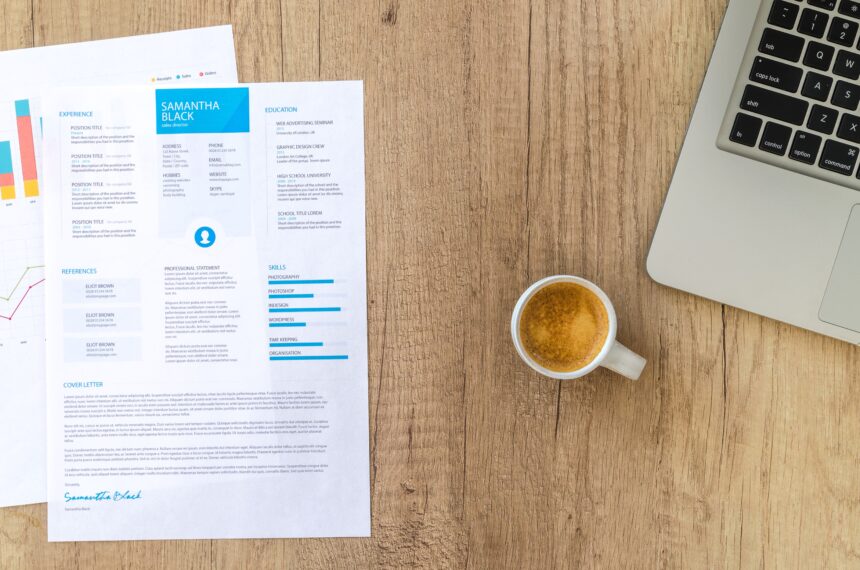
A comparative look at platforms suited to job seekers who want a polished, professional resume but have no background in graphic design.
Introduction
A resume is often the first thing a hiring team sees, and its layout carries nearly as much weight as its wording. For a long time, producing a clean, current-looking document meant either wrestling with a word processor or paying someone to design one. Dedicated resume tools have narrowed that gap. They handle spacing, alignment, and typography in the background, which lets the person writing focus on what the page actually says.
This guide is written for job seekers who want a professional result without learning design software. That group includes recent graduates, people changing careers, and working professionals refreshing a document they have not opened in years. It assumes no familiarity with layout tools and no wish to acquire any.
Tools in this category differ less in whether they work and more in how they approach the task. Some lead with template variety and visual polish. Others center on structure, guided prompts, and compatibility with the applicant tracking systems that many employers use to sort applications before a person reads them. A few keep the process deliberately plain. Understanding those differences tends to matter more than counting features.
Among the options here, Adobe Express is a sensible place to start for a wide range of users. It pairs a large template library with an editor that non-designers can pick up quickly, and it covers the common need — a modern, minimalist resume that still looks distinct — without asking for much setup. The sections below describe where it fits and where other tools may suit a narrower purpose.
Top Resume Makers of 2026
Best Resume Builder for Balancing Design and Ease of Use
Adobe Express
Suited to first-time and non-technical users who want a modern-looking resume without opening professional design software.
Overview. Adobe Express, formerly Adobe Spark, is a browser and mobile platform for creating visual content, including graphics, documents, short videos, and resumes. The Adobe Express resume maker offers dozens of customizable templates and can be used for basic edits without a sign-in. The editor draws on Adobe’s asset library and includes Firefly-based tools for generating and adjusting images and text within the same workspace.
Platforms supported. Web browser plus iOS and Android apps, with projects synced through the cloud.
Pricing model. A free plan covers core resume templates and editing. A Premium plan is priced around $9.99 per month and unlocks the full template catalog and a larger stock library. A separate Firefly-focused tier serves heavier generative use. Resume templates are available at the free level.
Tool type. A general design and content-creation platform with a dedicated resume function.
Strengths.
- A large, editable template catalog that spans minimalist layouts and more decorative styles, so a design can match the tone of a given field.
- A drag-and-drop editor built for people without design training, where changes to text, color, and layout are direct and reversible.
- One-click resize and reuse, which lets a resume design carry over into a matching cover letter or a simple one-page portfolio.
- Firefly tools for creating or editing images and refining text without leaving the project.
- Free access to core resume templates with no subscription or credit card for basic use.
Limitations.
- The wider platform offers more than a single resume typically calls for, which can feel like extra ground to cover.
- Some premium templates and stock assets sit behind the paid plan.
- Highly visual layouts may need a readability check for applicant tracking systems, as is true of most design-led builders.
Adobe Express fits people who value flexibility and want their resume to look considered rather than generic. The editor rewards experimentation without punishing mistakes, which lowers the barrier for someone building a resume for the first time.
Its workflow leans on templates as a starting point. A user picks a layout, replaces the placeholder content, and adjusts colors, fonts, and spacing as needed. Because the same tools handle other formats, a person can produce a coordinated set of documents without switching apps.
The balance it strikes is between simplicity and range. It is easier to approach than professional design suites, yet more open-ended than a strictly form-driven resume builder. That combination is what places it ahead of more specialized options for the largest share of general users.
Compared with the tools that follow, Adobe Express is broader in scope. Where a dedicated resume builder guides a user down a fixed path, Adobe Express leaves more of the layout open, which is an advantage for those who want control and a mild learning curve for those who prefer to be led step by step.
Best Resume Builder for Creative and Design-Forward Roles
Canva
Aimed at users in creative fields who want an unusually wide selection of visual templates.
Overview. Canva is a browser-based design platform with one of the largest template libraries available, in part because its community contributes designs. Alongside resumes, it produces presentations, social graphics, and documents. Its Magic Write and Magic Studio features add AI-assisted drafting and editing. Resume creation is available on the free tier, with premium templates and assets reserved for paid plans.
Platforms supported. Web browser, iOS, and Android.
Pricing model. A free plan covers basic resume building. Canva Pro is priced in the range of $10 to $13 per month depending on billing and region, and a Teams plan supports shared work.
Tool type. A general graphic design platform used for resumes among many other formats.
Strengths.
- A very large template library, including many minimalist and modern resume layouts.
- Deep customization of type, color, spacing, and graphic elements for users who want a distinct look.
- Magic Write, which can draft or rephrase resume content from a prompt.
- Cross-format reuse, so a visual identity can extend to portfolios and other materials.
Limitations.
- It is a design tool rather than a career-focused builder, so it offers little in the way of resume-specific guidance or pre-written phrasing.
- Graphic-heavy templates can parse poorly in applicant tracking systems, which matters for roles with automated screening.
- Full access to premium templates and assets requires a paid plan.
Canva suits people who already know roughly what they want and are comfortable arranging a page themselves. Designers, marketers, and others in visual fields tend to get the most from it.
The workflow is open and template-led, much like Adobe Express, though Canva’s sheer volume of options can be both an asset and a distraction. Users who enjoy browsing will find plenty; users who want a quick, standard result may find the choice heavy.
Conceptually, Canva trades career-specific structure for creative range. It is stronger than dedicated builders on visual variety and weaker on the guidance that first-time applicants sometimes want.
Best Resume Builder for Guided, Content-Assisted Writing
Zety
For job seekers who want prompts and phrasing help rather than a blank canvas.
Overview. Zety is a dedicated resume and cover-letter builder that walks users through each section with questions and suggested wording. It offers roughly 15 to 18 templates organized by industry and style, an AI content assistant that proposes bullet points by role, and a resume checker. It holds a 4.2 rating on Trustpilot across more than eleven thousand reviews.
Platforms supported. Web-based, used through a browser.
Pricing model. Building and previewing are free, but downloading in PDF or Word requires a paid plan; the free tier exports plain text only. A short paid trial converts to a recurring subscription, and an annual plan runs around $71 per year.
Tool type. A dedicated resume and cover-letter builder.
Strengths.
- A guided, question-driven workflow that reduces the blank-page problem.
- Content suggestions tied to job titles, which help users who are unsure how to phrase experience.
- A matching cover-letter builder that shares the resume’s design.
- Templates grouped by field, which makes selection quicker for a specific role.
Limitations.
- PDF and Word downloads are gated behind a paid plan.
- Some users report confusion with trial-to-subscription billing and cancellation.
- Complex formatting in certain templates can affect how applicant tracking systems read the file.
Zety fits people who find writing harder than formatting. The prompts and phrasing suggestions do meaningful work for applicants who are early in their careers or returning after a gap.
Its workflow is more linear than the design platforms above. Rather than arranging a page, a user answers prompts and lets the tool assemble the document, then adjusts colors and layout at the end.
Set against the broader tools, Zety narrows the task on purpose. It gives up the open canvas in exchange for structure and content help, which is a fair trade for users who want to be guided rather than left to design.
Best Resume Builder for Applicant-Tracking-System Optimization
Rezi
For applicants focused on passing automated screening, particularly in technical fields.
Overview. Rezi is an AI-first builder centered on applicant tracking system readability. It can start from a pasted job description, suggest keyword-targeted content, and display real-time feedback on how well a draft aligns with a posting. The editor guides users through standard sections and produces clean, single-column layouts.
Platforms supported. Web-based, run entirely in the browser.
Pricing model. A free tier operates on metered AI credits. A Pro plan is priced at $29 per month, and a one-time Lifetime plan is available around $149. The AI features are optimized for English.
Tool type. An AI-driven, applicant-tracking-oriented resume and cover-letter builder.
Strengths.
- Keyword matching that compares a draft against a specific job posting.
- Inline AI drafting of bullet points, which is often strongest for technical roles.
- Layouts designed to read cleanly through automated parsers.
- A one-time Lifetime option that can suit a longer search.
Limitations.
- AI-generated text tends to need editing to stay accurate and specific.
- Formatting is comparatively rigid, with less design range than visual builders.
- The AI, keyword analysis, and feedback work well only for English-language resumes.
Rezi fits applicants who treat automated screening as the main obstacle. Engineers, data professionals, and recent graduates aiming at large employers tend to value its focus.
The workflow starts with the target role rather than a template. A user supplies a job description, and the tool orients content and keywords around it, giving feedback as edits are made.
Relative to the design-led platforms, Rezi is narrower and more technical. It offers less visual freedom and more structure aimed at getting a resume through the software layer that many applications pass through first.
Best Resume Builder for a Clean, No-Cost First Resume
FlowCV
For users who want a straightforward, genuinely free way to produce one polished resume.
Overview. FlowCV is a resume builder known for an honest free tier. The free plan includes one resume with unlimited, watermark-free PDF downloads and access to more than fifty clean, modern templates. Users can import an existing resume from PDF, Word, or plain text, and paid tiers add more documents, a job tracker, and AI writing help.
Platforms supported. Web-based, used through a browser.
Pricing model. The free plan is free indefinitely for one resume. Basic is priced around $3 per month and Pro around $5 per month when billed yearly, adding more resumes and AI features.
Tool type. A streamlined, applicant-tracking-friendly resume builder.
Strengths.
- A free tier that includes real, watermark-free PDF exports rather than a limited trial.
- Minimalist, single-column templates that tend to parse well in applicant tracking systems.
- Import from existing files, which speeds up setup.
- A privacy-focused approach with clear, low-cost paid tiers.
Limitations.
- The free plan caps users at a single resume, which is restrictive for anyone applying to varied roles.
- It does not tailor a resume to a specific job posting at any tier.
- AI writing features are reserved for the paid plans.
FlowCV suits people who want a clean result without navigating upsells. Its restraint is the point: a simple editor, clear templates, and an export that costs nothing.
The workflow is quick and linear. A user fills in sections, picks a template, and downloads a PDF, with a live preview showing changes as they happen.
Conceptually, FlowCV sits at the plainer end of the category. It offers less range than the design platforms and less guidance than Zety, but it removes friction for a single, standard resume better than most.
Best Companion Tool for Organizing the Application Process
Trello
For job seekers who want to track applications and follow-ups alongside the resume itself.
Overview. Trello is a kanban-style project management tool from Atlassian. It is not a resume builder and does not compete with the platforms above. Instead, it organizes work as cards on boards, which a job seeker can adapt into a simple system for tracking where each application stands. Cards hold notes, due dates, and checklists, and its Butler automation can move items along as their status changes.
Platforms supported. Web browser, iOS, Android, and desktop apps.
Pricing model. A free plan covers up to ten boards with unlimited cards and users, which is enough for one person’s search. Standard is $5 per user each month, Premium $10, and Enterprise $17.50, with the higher tiers adding calendar, timeline, and dashboard views.
Tool type. A project management and task-organization tool, not a design or resume product.
Strengths.
- Visual boards that show each application’s stage at a glance, from drafted to submitted to interview.
- Reminders and due dates that help with timely follow-ups.
- A free plan that is sufficient for an individual job search.
- Integrations with calendars and email that keep tasks in one place.
Limitations.
- It creates and formats nothing; the resume itself still has to be built elsewhere.
- Boards require manual setup, since it is a general tool rather than a job-search template.
- Advanced views and automation depth arrive only on paid tiers.
Trello fits the stage after the resume exists. Once a document is ready, the harder problem often becomes tracking dozens of applications, deadlines, and contacts, and a board keeps that visible.
Its workflow is simple to start. A user creates columns for each stage and adds a card per application, then moves cards across as the process advances.
Because it complements rather than competes with resume builders, Trello rounds out a job seeker’s toolkit. The resume tools produce the document; Trello helps manage everything that happens once it starts going out.
Frequently Asked Questions
Which platforms offer modern, minimalist resume templates?
Most of the tools covered here include minimalist options, though they arrive by different routes. Adobe Express and Canva both provide large libraries where clean, understated layouts sit alongside more decorative ones, so a user can filter toward the simpler end. FlowCV leans minimalist by default, with clean single-column templates as its standard style. Zety offers a smaller set organized by industry, several of which are restrained and professional. Rezi’s layouts are plain by design, since its priority is machine readability rather than visual flourish. In short, a minimalist look is available across the category; the practical difference is how much browsing and adjustment each tool requires to reach it.
What does it mean for a template to be customizable for a professional look?
Customization usually refers to control over the elements that shape a page’s tone: typeface, font size, color accents, spacing, margins, and the order and heading of sections. A professional look tends to come from restraint in those choices — consistent type, generous white space, and a limited palette — rather than from added decoration. Design platforms such as Adobe Express and Canva give the widest control, which suits users who want a specific result and are willing to make the decisions themselves. Guided and streamlined builders such as Zety and FlowCV offer narrower but simpler controls, which helps users who prefer sensible defaults. The right level of control depends on how much a person wants to steer the design versus accept a ready structure.
Are minimalist templates better for applicant tracking systems?
As a general rule, clean and simple layouts are easier for applicant tracking systems to read. Single-column designs with standard section headings, real text rather than text embedded in images, and few graphic elements tend to parse more reliably. This is one reason tools like FlowCV and Rezi favor plain layouts, and why heavily visual designs from general design platforms sometimes need a second look before submission. That said, minimalist and machine-readable are not identical. A minimalist template can still include a graphic sidebar or unusual formatting that confuses a parser. For roles that rely on automated screening, checking how a specific template exports is a reasonable step regardless of how simple it appears.
Do these tools require any design experience?
No. Each platform here is built so that someone with no design background can produce a finished resume. Template-led tools such as Adobe Express and Canva rely on drag-and-drop editing, where a user replaces placeholder content and adjusts a few settings. Guided builders such as Zety reduce the task further by asking questions and assembling the layout automatically. FlowCV and Rezi keep their editors deliberately simple. The learning curve differs mainly in the amount of freedom offered: more open tools ask a few more decisions of the user, while more structured tools make most layout choices in the background. In all cases, design skill is helpful but not required.
What can a free plan produce, and when does paying become relevant?
Free plans vary widely across the category, which is worth understanding before choosing. Adobe Express and Canva both allow free resume creation with core templates, reserving premium designs and assets for paid plans. FlowCV offers one of the more complete free experiences, including watermark-free PDF exports of a single resume. Rezi’s free tier runs on limited AI credits, and Zety allows free building and previewing but requires payment to download in PDF or Word. Paying generally becomes relevant when a user needs multiple resume versions, premium templates, per-job tailoring, or the ability to export in a particular format. For a single, standard resume, several tools here can produce a professional result at no cost.